Basic Operations With Mouse
When you run the program you will see a small, moveable window against a larger background screen.
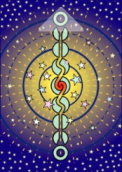
This moveable window represents a face-down deck of cards, and in the rest of this help file may be referred to as the Deck or Deck Form.
All actions including getting to the Main Menu and Dealing a Card can be accomplished by clicking on the deck.
The deck rectangle is divided into two areas. The top quarter can be used to deal a card. The bottom three quarters can be used to drag the deck around the screen or to open the main menu.
|
Click in the top quarter of the deck to deal a card. The mouse pointer changes to a triangle when you hover over this part of the deck.
|
|
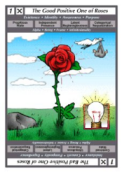
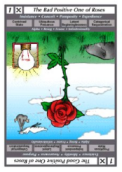
You can invert a card by holding down the shift key and clicking
|
|
|
The bottom three quarters of the deck can be used to drag the deck around the screen. Right click in this part of the deck to bring up the main menu.
|
Dealing a Card: Click in the top quarter of the deck rectangle to deal a card. When the mouse is over this area you will see it change to a kind of pointer.
You will also see that there is a light coloured triangle decorating this area.
Tip: You can also deal a card by pressing the Space bar on your keyboard.
By default the program deals cards face up, but you can change this setting by going to the Cards tab of the Options form and unchecking the Deal Face Up check box.
After you deal a card you can move the card around by dragging it. If you right click on a card you turn it over, ie face up or face down.
To reverse a card in the sense of inverting the picture you can click on the card while holding down the shift key. If you drag a card which is face down
back on to the pack, then it goes back into the pack. Note that it goes back in at the top, so if you deal again without shuffling it will appear again (last in first out).
If you have opened more then a single deck form during a session (i.e. from the time you open the program until you close the program),
you will see light coloured Switch Deck Arrow(s) appear. These can be used for Back and Forward Navigation among Decks.
NB
The cards illustrated on this page are from the Isomorphic Tarot by Guy Palm.